Choose a live-stream transport: MoQ vs HLS vs WebRTC

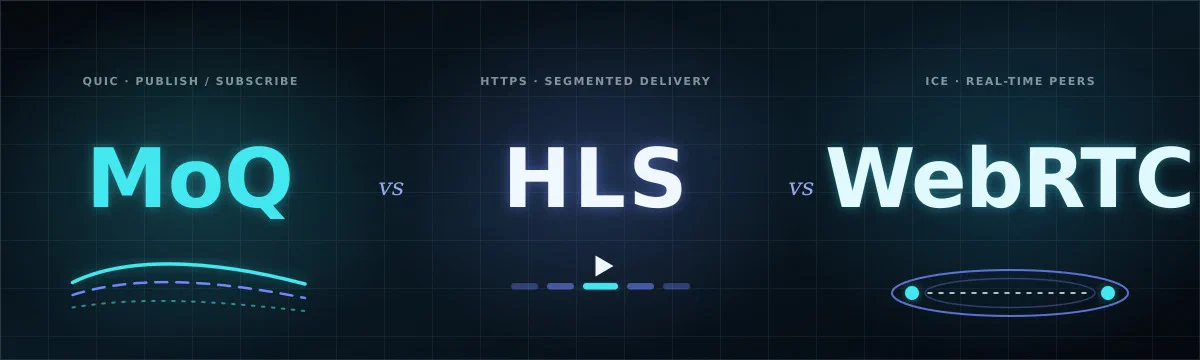
Live video has no single best transport. The right choice depends on what you are optimizing: the shortest delay, the largest audience, the strictest corporate network, or interactive audio.
This tutorial compares Media over QUIC (MoQ), HTTP Live Streaming (HLS) and WebRTC as they are used by Kerberos Hub. You will turn product requirements into a transport choice, then validate that choice on the network where it will run.
The short answer
| Choose | Best fit | Main benefit | Main tradeoff |
|---|---|---|---|
| MoQ | Low-latency viewing through a shared relay, especially with several viewers | Combines real-time delivery with publish/subscribe fan-out | Newer ecosystem; Hub currently targets Chromium and H.264 video |
| HLS | Locked-down networks, broad playback compatibility and large audiences | Uses familiar HTTPS delivery and scales well through shared infrastructure | Segment buffering adds latency and the path is one-way |
| WebRTC | Interactive monitoring, direct camera viewing and two-way talk | Mature sub-second media with congestion control and bidirectional tracks | ICE/TURN adds operational complexity; each viewer needs a media session |
Understand the three paths
All three options deliver the same camera video, but they organize the path differently. Each diagram below is interactive and can be opened in the architecture designer with Edit.
MoQ: real-time publish and subscribe
MoQ carries media over QUIC and WebTransport. The Agent publishes a broadcast to a relay and viewers subscribe to it. This separates the producer from the viewers: the Agent does not negotiate a peer connection with every browser, and the relay can fan one publication out to several subscribers.
The relay has an https:// URL, but that does not make this a TCP path. HTTP is the application protocol: HTTP/1.1 and HTTP/2 normally run over TCP, while the WebTransport used here runs over HTTP/3, which maps HTTP onto QUIC over UDP. If a network blocks UDP or HTTP/3, the current MoQ player cannot silently fall back to HTTPS over TCP; use HLS for that network.
The important benefits are:
- Low delay without a peer-to-peer topology. Media remains frame-oriented rather than waiting for complete HLS segments.
- Efficient fan-out. Adding viewers is primarily a relay concern instead of adding one direct Agent-to-browser path per viewer.
- Live-edge behavior. A real-time player can skip data that is already too old instead of making delay grow without bound.
- Independent delivery. QUIC avoids TCP head-of-line blocking between independent streams, although loss and congestion still affect playback.
In the current Kerberos implementation, the Agent publishes separate high- and low-quality H.264 broadcasts only while they are being watched. Hub playback uses WebTransport and WebCodecs and currently targets Chromium-based browsers. The initial path is video-only, so it does not replace WebRTC’s talk channel.
MoQ is the strongest candidate when you need near-real-time video for multiple viewers and control the browser environment. Its costs are a relay, a newer operational toolchain, HTTP/3/UDP network access and a less mature browser ecosystem.
HLS: compatibility and distribution
HLS packages video into a rolling playlist of fMP4/CMAF segments. The Agent pushes the live segments to Hub, and browsers fetch the playlist and media over HTTPS.
Its benefits come from using the web delivery path almost every network already understands:
- Firewall and proxy compatibility. HLS uses ordinary authenticated HTTPS requests without ICE, STUN, TURN or peer-to-peer connectivity.
- Shared delivery. Multiple viewers can fetch the same media session instead of opening a new media path back to the Agent.
- Operational familiarity. HTTP logs, reverse proxies and common observability tools can inspect the delivery path.
- Large-audience scaling. HLS is naturally compatible with caching and CDN-style distribution, although Kerberos Hub serves authenticated live playlists directly by default.
The cost is delay. A player needs enough segment or partial-segment data to decode smoothly, so HLS normally trails the live edge by seconds rather than frames. It is also one-way: Hub’s two-way talk feature is unavailable on HLS.
Choose HLS when a stream must work through restrictive enterprise networks, when broad playback compatibility is more important than immediacy, or when viewers greatly outnumber publishers.
WebRTC: interaction and mature real-time media
WebRTC is designed for live, bidirectional communication. In Hub, the Agent and browser exchange session descriptions and ICE candidates over MQTT. Media then flows directly when possible, with a TURN relay as the fallback when NAT or firewall rules prevent a peer-to-peer path.
WebRTC provides:
- The lowest interactive delay. It is designed to keep conversation and control responsive.
- Two-way media. In Hub, this is the only transport that supports the camera talk back-channel.
- Mature adaptation. Congestion control, jitter buffering, retransmission strategies and network statistics are established parts of the ecosystem.
- Direct delivery. A successful peer-to-peer path avoids routing media through Hub infrastructure.
That direct model has a scaling consequence: each viewer establishes a media session, and each relayed viewer consumes TURN capacity. WebRTC also asks more of the network than HLS because ICE, UDP reachability, NAT traversal and TURN credentials all have to work.
Choose WebRTC when interaction matters, viewer counts per camera are modest, or two-way talk is a requirement rather than a bonus.
Compare the operational tradeoffs
| Question | MoQ | HLS | WebRTC |
|---|---|---|---|
| Typical goal | Near-real-time | Reliable one-way viewing | Interactive real-time |
| Topology in Hub | Agent -> relay -> viewers | Agent -> Hub API -> viewers | Agent -> viewer, or through TURN |
| Fan-out | Relay distributes one publication | Viewers share one segmented session | One media session per viewer |
| Restricted networks | Needs WebTransport over HTTP/3/UDP | Strongest option over HTTPS/TCP | May require TURN; UDP is often restricted |
| Two-way talk | No, current path is video-only | No | Yes |
| Browser maturity | Emerging; current Hub path targets Chromium | Broad with native or JavaScript players | Broad and mature |
| Failure isolation | Relay is a shared dependency | Hub/API path is a shared dependency | Direct failures can fall back to TURN |
| Troubleshooting focus | Relay session, WebTransport, decode cadence | Playlist, segment upload and HTTP requests | Signalling, ICE candidates, DTLS and RTP stats |
No transport removes the need for capacity planning. MoQ and HLS centralize fan-out, so their relay or Hub egress must be sized for all viewers. WebRTC can distribute that load across direct paths, but TURN becomes the central bottleneck whenever direct connectivity fails.
Give the firewall team the transport rules
Start with the connections every mode uses. These ports are independent of the selected media transport:
| Source | Destination | Protocol and port | Purpose |
|---|---|---|---|
| Operator browser network | Hub public URL | Outbound TCP 443 | Load the UI and call the Hub API |
| Operator browser network | MQTT broker | Outbound TCP on configured mqtt.port using WSS | Live-view control and signalling; the Helm example uses 8443 |
| Agent network | MQTT broker | Outbound TCP on the port in AGENT_MQTT_URI | Live-view control and signalling |
| Agent and browser networks | Their configured DNS resolvers | Existing DNS service | Resolve Hub, broker and relay hostnames |
All rules below are egress rules with stateful return traffic unless the destination service is hosted behind a firewall you manage. Do not open a fixed inbound port on an Agent or camera. Replace example hostnames and ports with the values from the deployment.
MoQ firewall rules
For the default relay at https://relay.uug.ai/anon, add:
| Source | Destination | Protocol and port | Purpose |
|---|---|---|---|
| Agent network | relay.uug.ai | Outbound UDP 443 | Publish the MoQ broadcast over WebTransport/HTTP/3 |
| Operator browser network | relay.uug.ai | Outbound UDP 443 | Subscribe to the MoQ broadcast over WebTransport/HTTP/3 |
MoQ adds no TCP media port and uses no peer-to-peer path, STUN server, TURN server or TURN relay port range. A TLS-inspecting HTTP proxy does not automatically make MoQ work because it may only proxy HTTP/1.1 or HTTP/2 over TCP. The network must permit direct QUIC/HTTP/3 traffic over UDP 443 to the relay.
If you self-host the relay on a different port, replace UDP 443 with the explicit port in moqRelayUrl and AGENT_LIVE_MOQ_URL, and expose that UDP port on the relay or load balancer.
HLS firewall rules
HLS adds no UDP requirement. In addition to the common Hub and MQTT rules, allow:
| Source | Destination | Protocol and port | Purpose |
|---|---|---|---|
| Agent network | Hub API public URL | Outbound TCP 443 | Upload live CMAF/fMP4 segments |
| Operator browser network | Hub API public URL | Outbound TCP 443 | Fetch the authenticated playlist and segments |
The browser-to-Hub rule is normally already covered by the common Hub HTTPS rule. HLS is therefore the simplest option for an HTTPS-only network: all media crosses TCP 443, while MQTT/WSS carries only requests and readiness signals on its configured TCP port.
WebRTC firewall rules
WebRTC uses MQTT for signalling, then ICE chooses either a direct media path or TURN. Add rules for the deployment’s configured AGENT_STUN_URI, AGENT_TURN_URI and Hub turn.host:
| Source | Destination | Protocol and port | Purpose |
|---|---|---|---|
| Agent and operator browser networks | Configured STUN/TURN host | Outbound UDP on the configured listener port | Discover NAT mappings and establish the preferred media path |
| Agent and operator browser networks | Configured TURN host | Outbound TCP on the configured listener port, when TURN-over-TCP is enabled | Relay fallback where direct UDP is blocked |
| Agent and operator browser networks | Negotiated peer addresses | Outbound UDP on dynamic ICE ports | Direct video and talk media when peer-to-peer succeeds |
There is no universal TURN port in Kerberos configuration. The Helm example uses turn.yourdomain.com:8443; the Agent defaults reference 3478. Use the actual configured value, and include the transport requested by the TURN URI or server policy.
When you operate coturn yourself, its public firewall must also expose the TURN listener and the configured UDP relay port range. Coturn defaults that range to 49152-65535 when min-port and max-port are not set; production deployments often narrow it explicitly. If the site firewall cannot permit dynamic peer UDP, set AGENT_FORCE_TURN=true and allow the TURN paths instead, accepting the added relay bandwidth and latency.
Make the decision
Work through these questions in order. A hard requirement should eliminate transports before you compare softer benefits.
List the non-negotiable constraints
Start with requirements that have a yes-or-no answer:
- Need two-way talk? Choose WebRTC.
- Must work through an HTTPS-only proxy that blocks UDP? Choose HLS.
- Need non-Chromium browsers with the current Hub implementation? Start with HLS or WebRTC.
- Need one Agent stream to serve many simultaneous low-latency viewers? Test MoQ first.
Count publishers and viewers
Write down three numbers: active cameras, typical viewers per camera and peak viewers per camera.
For one operator watching one camera, a direct WebRTC path is efficient. For a control room where many operators watch the same camera, MoQ’s relay fan-out or HLS’s shared session avoids multiplying Agent uplink usage. The central service still needs enough outbound bandwidth for every viewer.
Classify the networks
Test from the real operator networks, not only from the deployment LAN.
- If outbound UDP and WebTransport are allowed, all three options remain candidates.
- If WebRTC works only through TURN, include TURN bandwidth and relay distance in the comparison.
- If HTTP/3 is blocked but HTTPS/TCP works, HLS has the clearest path.
- If mobile or unstable links are common, compare recovery time as well as steady-state latency.
Choose a starting candidate
Use the dominant requirement:
| Dominant requirement | Start with |
|---|---|
| Talk to the camera or control with minimum delay | WebRTC |
| Near-real-time video with relay-based fan-out | MoQ |
| Maximum network compatibility | HLS |
| Many viewers and seconds of delay are acceptable | HLS |
| Several viewers, low delay and a controlled Chromium fleet | MoQ |
Validate it under load
Run the same camera through every viable transport and record:
- Glass-to-glass latency: show a millisecond clock in the camera view and compare it with the player.
- Time to first frame: measure from opening Live mode until decoded video appears.
- Recovery time: interrupt the Agent’s network for five seconds and measure how long playback takes to return.
- Packet-loss behavior: test on a shaped or naturally weak link and watch for freezes, quality reduction and growing delay.
- Fan-out cost: add viewers while measuring Agent upload, relay/API egress, CPU and memory.
- Compatibility: repeat from the browsers, VPNs, proxies and office networks operators actually use.
Test for at least one camera keyframe interval after every reconnect. A transport can be connected while the decoder is still waiting for an H.264 keyframe.
Apply the choice in Hub
The Hub Helm chart exposes the transports under kerberoshub.frontend.features.liveview. This example offers all three choices and starts Live mode with MoQ:
kerberoshub:
  frontend:
    features:
      liveview:
        liveStreamMode: "moq"
        hlsEnabled: "true"
        moqEnabled: "true"
        moqRelayUrl: "https://relay.example.com"
        moqBroadcastPrefix: "devices"
Use webrtc, hls or moq for liveStreamMode. The transport selector remains available when HLS or MoQ is enabled, so operators can override the default for an individual stream.
MoQ also has an Agent-side requirement. AMD64 and ARM64 Agent images include the publisher, but it remains opt-in:
AGENT_LIVE_MOQ_ENABLED=true
AGENT_LIVE_MOQ_URL=https://relay.example.com
AGENT_LIVE_MOQ_BROADCAST_PREFIX=devices
The Agent and frontend must use the same relay and broadcast prefix. Production relays should issue short-lived, subscriber-scoped credentials; do not treat an anonymous relay endpoint as an authorization boundary.
To run the relay yourself, follow Deploy a MoQ relay on Kubernetes. It covers TLS, the UDP LoadBalancer, Hub values, Agent variables and end-to-end verification.
For the other production paths, follow Set up WebRTC live view with TURN or Set up HLS live view. Both guides cover Hub values, Agent requirements, firewall rules, diagnostics and a complete fallback-path test.
For the complete Hub live-view flow and troubleshooting steps, continue with Live view.