Set up your own workflow stage

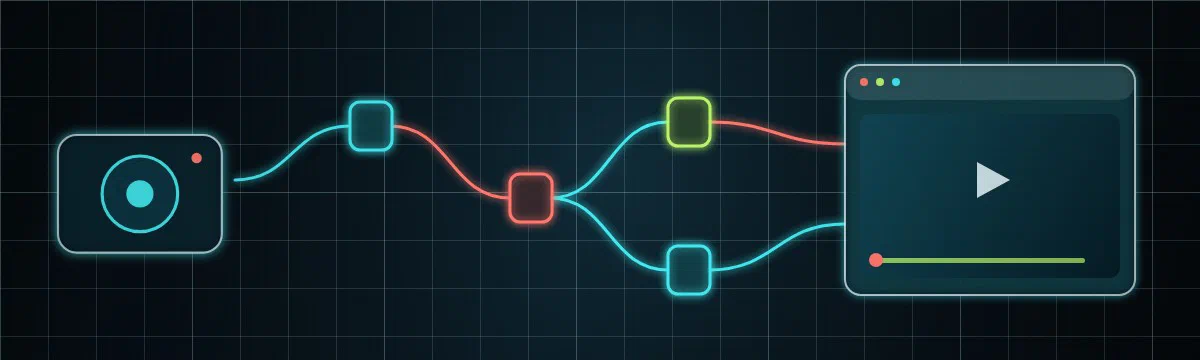
The Hub ships with a built-in pipeline, but every deployment eventually needs something the pipeline doesn’t do out of the box. A custom workflow stage lets you run your own logic on every recording — its result feeds the rest of the workflow for later stages to build on, and the blocks it emits are persisted back into the Hub — in any language, deployed and scaled on its own.
What can a stage do?
If you can express it as “take a recording, do some work, return a result,” it fits a stage. A few things teams build:
How it works
A stage is a step in a workflow; you implement it as a microservice. This tutorial walks you through bringing a microservice of your own into the Hub as a stage that the workflow triggers automatically. You’ll wire it end-to-end: deploy a microservice, bind the microservice to a stage in a workflow using the Helm chart, do whatever work your stage does on each recording, and hand the result back — where the workflow carries the results of your stage to later stages and the blocks you emit are persisted into the Hub.
The example microservice is written in Go, but a stage is language-agnostic — the only contract is the queue it reads and the JSON it returns, so the same steps apply in Python, Node.js or anything that can speak your broker.
Before you start
marker block. The internal-stage implementation below remains for
deployments you control.This tutorial puts two reference pages into practice, and it helps to have skimmed them first — Workflows → Stages (how a microservice connects) and Workflows → Ingest (what it hands back). This tutorial is the hands-on path through both.
Pipeline vs workflows
Before you build a stage, it’s worth knowing where it lives. The Hub has two layers that connect at a single point.
The pipeline is the fixed flow every recording runs through by default — monitor, sequence, analysis, throttle, notify. It’s the same for everyone, it always runs, and it’s the baseline that turns a raw recording into a classified, alertable event.
A workflow is a branch off that flow. At the analysis step the pipeline hands the classified recording to the workflows engine, which forks a custom flow of your own — your stages — runs it, and feeds the result back. The main pipeline keeps doing its job; the workflow is the side-path where your processing happens, decided per user, per device and per time window.
| Pipeline | Workflow | |
|---|---|---|
| Shape | The fixed flow every recording runs through | A branch that forks off the main flow to run a custom flow |
| Scope | Global — the same for every recording | Per user, per device, per time window |
| Changed by | The platform | You, with no code (visual editor) — or with a custom stage |
| Your stage lives here | — | ✓ |
A custom stage — what you’re about to build — is the developer side of that branch: your own microservice, in any language, that the workflow dispatches recordings to and whose result the platform ingests back. The pipeline classifies the recording; the workflow branches off to your stage; your stage does the work and hands a result back.
The end-to-end flow
A recording is classified by the built-in pipeline. On classification, the analysis service hands the classification result to the workflows engine (hub-workflows), which opens a WorkflowRun and dispatches every registered stage onto its own queue. Your microservice consumes the run, does its work, and routes the result back through the concept of Blocks. The engine records that result on the run — so later stages can branch on it — and runs the shared ingest core, which persists any blocks you emit into a platform-owned collection.
    flowchart LR
    A[Agent recording] --> B[Analysis · classify]
    B -->|hands off classify result| C[Workflows engine]
    C -->|dispatch on your queue| D[Your stage]
    D -->|fetch clip| E[(Vault storage)]
    D -->|block envelope to WORKFLOWS_QUEUE| C
    C -->|IngestBlocks| F[(platform collection)]
    F --> G[Result shown on the recording]
Two names do all the routing, and it’s worth keeping them straight:
- The stage / operation id — who the engine dispatches to and the key your result is filed under (
results.<id>). In our example it’sloitering. - The block type — what shape your result is. A stage emits whichever block type fits its output: a
detectionblock for boxes/tracks, amarkerblock for a timeline annotation. Our loitering stage emits amarkerblock.
The platform already knows how to store these block types — a marker block becomes a timeline annotation keyed to the recording — so your microservice needs no database of its own: it hands the data back and the platform persists it. That’s the delegated sink; see Ingest for the full contract.
A block is one self-describing piece of that result: a type naming its shape (detection, marker, …) and a data body in that shape. Your microservice returns them as a block envelope — a small JSON object with a blocks array — set on the run’s payload:
{
  "blocks": [
    { "type": "marker", "data": { "...": "your result, in that block's shape" } }
  ]
}
A single envelope can carry several blocks (a detection plus a marker, say), and the platform stores each by its type. The Blocks catalogue lists every block type and the data shape it expects.
Build the stage
Eight steps, from an empty folder to a dwell-time marker on a recording. Steps 1–5 build the microservice; 6–8 register, deploy and verify it.
Decide your stage’s identity
A stage is defined by four choices. Pick them now; everything else follows (the values here are our loitering example):
| Choice | Example | Why it matters |
|---|---|---|
| Operation id | loitering | Routing key, result key (results.loitering), and the name you register. |
| Queue | hub-workflows-loitering | The one string that binds the engine to your microservice. Any name your broker accepts. |
| Block type | marker | The result shape you emit. marker → a timeline span in the markers collection. |
| Sink | delegated | Hand a block envelope back; the platform persists it. No database in your microservice. |
Scaffold the microservice
Create a new Go module for the microservice:
mkdir hub-loitering && cd hub-loitering
go mod init github.com/uug-ai/hub-loitering
go get github.com/uug-ai/models@v1.6.3
go get github.com/uug-ai/queue@v1.3.6
go get github.com/sirupsen/logrus@v1.9.4git clone https://github.com/uug-ai/hub-loitering && cd hub-loitering && go build ./... — so you can clone it and jump straight to registering the stage.The microservice reads its configuration from the connection contract — a fixed set of environment variables the chart injects into every microservice. You don’t invent these names; the chart provides them:
| Variable | Example | What it is |
|---|---|---|
QUEUE_SYSTEM | RABBITMQ | The broker driver. |
RABBITMQ_HOST / RABBITMQ_EXCHANGE / RABBITMQ_USERNAME / RABBITMQ_PASSWORD | rabbitmq.rabbitmq:5672 | Broker connection. |
LOITERING_QUEUE | hub-workflows-loitering | The queue you consume runs from (your stage id, upper-cased, + _QUEUE). |
WORKFLOWS_QUEUE | hub-workflows-queue | The engine queue you return the finished run to. |
KERBEROS_STORAGE_URI / KERBEROS_STORAGE_ACCESS_KEY / KERBEROS_STORAGE_SECRET | https://vault… | Fallback media-storage endpoint (per-recording overrides also travel on each run). |
LOG_LEVEL | info | Log verbosity. |
Here is main.go — connect to the broker, consume raw WorkflowRun messages, and hand each one to a handler:
package main

import (
	"encoding/json"
	"os"
	"strings"
	"time"

	"github.com/sirupsen/logrus"

	"github.com/uug-ai/models/pkg/models"
	queue "github.com/uug-ai/queue/pkg/queue"
)

// operation is this stage's id. It must match the operation registered in the
// Helm chart, and it is the key the engine files your result under.
const operation = "loitering"

func main() {
	logger := logrus.New()
	logger.SetFormatter(&logrus.JSONFormatter{})

	// The stage queue we consume from, and the engine queue we return to.
	stageQueue := envOr("LOITERING_QUEUE", "hub-workflows-loitering")
	workflowsQueue := envOr("WORKFLOWS_QUEUE", "hub-workflows-queue")

	// A stage only consumes and dead-letters; it never forwards down a stage
	// list, so it sets just its consume queue and a deadletter queue.
	options := queue.NewRabbitOptions().
		SetHost(os.Getenv("RABBITMQ_HOST")).
		SetExchange(os.Getenv("RABBITMQ_EXCHANGE")).
		SetUsername(os.Getenv("RABBITMQ_USERNAME")).
		SetPassword(os.Getenv("RABBITMQ_PASSWORD")).
		SetWorkflowsStageQueue(stageQueue).
		SetDeadletterQueue("dead-letter-queue").
		Build()

	q, err := queue.New(options)
	if err != nil {
		logger.Fatalf("failed to create queue: %v", err)
	}
	if err := q.Client.Connect(); err != nil {
		logger.Fatalf("failed to connect to broker: %v", err)
	}
	logger.Infof("loitering started: consuming %q, returning results to %q", stageQueue, workflowsQueue)

	// The workflow subsystem exchanges models.WorkflowRun (not the pipeline's
	// PipelineEvent), so decode the run ourselves. A body that isn't a
	// WorkflowRun is dead-lettered; otherwise the handler routes it back.
	handler := func(payload []byte, _ ...any) (models.PipelineAction, []byte, int) {
		var run models.WorkflowRun
		if err := json.Unmarshal(payload, &run); err != nil {
			logger.Errorf("not a WorkflowRun, dead-lettering: %v", err)
			return models.PipelineError, payload, 0
		}
		return handleRun(logger, q.Client, workflowsQueue, &run), payload, 0
	}

	rmq, ok := q.Client.(*queue.RabbitMQ)
	if !ok {
		logger.Fatalf("loitering requires a *queue.RabbitMQ client, got %T", q.Client)
	}
	for {
		if err := rmq.ReadRawMessages(handler, func(models.PipelineMetrics) {}); err != nil {
			logger.Errorf("failed to read messages: %v", err)
		}
		if err := rmq.Reconnect(); err != nil {
			logger.Errorf("failed to reconnect: %v", err)
			time.Sleep(5 * time.Second)
		}
	}
}

func envOr(name, fallback string) string {
	if v := strings.TrimSpace(os.Getenv(name)); v != "" {
		return v
	}
	return fallback
}WorkflowRun from your queue, and return one to WORKFLOWS_QUEUE with your result as a block envelope on payload (its shape is shown below). The envelope reference lists every field you receive.Do the work
This is the one step that’s truly yours: whatever your stage actually does. Your microservice is a stateless consumer — pull a run, read (or fetch) what it needs, compute, and return. The run tells you which recording it is (key), how to fetch the media if you need it (storage), and carries the upstream classify result you can build on.
In our example the work is loitering — how long the longest-lingering subject stays in frame. The classifier has already tracked every subject, so this stage needs no model and no media download: it measures the dwell span straight from the classify trajectory on the run and turns it into a marker. Whatever your stage does, this is where it slots in.
Create loiter.go:
package main

import (
	"github.com/uug-ai/models/pkg/models"
)

// measureLoitering is where your stage's logic runs. Here it reads the dwell
// span the classifier already tracked and turns the longest one into a marker.
// A heavier stage would instead fetch the clip referenced by run.Key with the
// credentials in run.Storage and run its own model. This stub returns one fixed
// 30-second marker so you can prove the wiring before plugging in real analysis.
func measureLoitering(run *models.WorkflowRun) models.Marker {
	const start, duration = 1_700_000_000, 30 // recording epoch + dwell seconds
	return models.Marker{
		Name:           "loitering-person-1",
		Description:    "Subject lingered in frame",
		StartTimestamp: start,
		EndTimestamp:   start + duration,
		Categories:     []models.MarkerCategory{{Name: "alert"}, {Name: "person"}},
		Tags:           []models.MarkerTag{{Name: operation}},
		Events: []models.MarkerEvent{{
			Name:           "Loitering",
			StartTimestamp: start,
			EndTimestamp:   start + duration,
		}},
	}
}
A marker is a named span on the recording’s timeline — a Name plus start/end timestamps — optionally carrying categories, tags and events. You leave Duration unset; the platform fills it from the timestamps. It keys the marker by (device, name, startTimestamp), so a redelivery refreshes the same marker instead of duplicating it — see the marker run contract for every field.
Return the result as a block envelope
Now hand the result back. You return the same WorkflowRun you received — echo its identity so the engine can locate and scope it — with storage cleared and your result wrapped in a self-describing block envelope on payload. Publish it to WORKFLOWS_QUEUE; the engine routes each block through the ingest core into the right platform collection and marks the stage resolved. In our example that’s a single marker block landing in the markers collection.
Concretely, the payload you publish is that envelope with one marker block whose data is the marker from Step 3:
{
  "blocks": [
    {
      "type": "marker",
      "data": { "name": "loitering-person-1", "startTimestamp": 1700000000, "endTimestamp": 1700000030 }
    }
  ]
}
In Go you don’t hand-write that JSON — the ingest package builds and tags the envelope for you. Add the handler to loiter.go:
import (
	"encoding/json"

	"github.com/sirupsen/logrus"

	ingest "github.com/uug-ai/ingest/pkg/ingest"
	queue "github.com/uug-ai/queue/pkg/queue"
)

func handleRun(logger *logrus.Logger, q queue.QueueInterface, workflowsQueue string, run *models.WorkflowRun) models.PipelineAction {
	logger.WithFields(logrus.Fields{
		"operation": run.Operation,
		"runId":     run.RunId,
		"mediaKey":  run.Key,
		"deviceKey": run.Device.DeviceKey,
	}).Info("loitering received dispatch")

	// 1. Measure the dwell (Step 3).
	marker := measureLoitering(run)

	// 2. Wrap the marker in a block envelope. A loitering stage emits one marker
	//    block; a richer stage could append detections or other block types in
	//    the same list. The platform keys the marker by (device, name,
	//    startTimestamp), so a redelivery refreshes it instead of duplicating.
	data, err := json.Marshal(marker)
	if err != nil {
		logger.Errorf("failed to marshal marker: %v", err)
		return models.PipelineCancel
	}
	envelope, err := json.Marshal(ingest.BlockEnvelope{
		Blocks: []ingest.Block{{Type: ingest.KindMarker, Data: data}},
	})
	if err != nil {
		logger.Errorf("failed to marshal envelope: %v", err)
		return models.PipelineCancel
	}

	// 3. Return the SAME run: echo identity, clear storage, attach the envelope.
	result := *run
	result.Operation = operation
	result.Storage = nil // credentials are never echoed back
	result.Payload = envelope

	body, err := json.Marshal(&result)
	if err != nil {
		logger.Errorf("failed to marshal result: %v", err)
		return models.PipelineCancel
	}
	if err := q.Publish(workflowsQueue, body); err != nil {
		logger.Errorf("failed to return result to %q: %v", workflowsQueue, err)
	}

	// We've already routed the result back ourselves, so there's nothing for the
	// queue library to forward.
	return models.PipelineCancel
}
Build it to be sure everything resolves:
go mod tidy
go build ./...
That’s the whole microservice: consume a run → do the work → return a block envelope. Everything else — storing the result, keying it to the recording, surfacing it in the UI — is the platform’s job.
Containerise the microservice
A minimal multi-stage build:
# Dockerfile
FROM golang:1.25-bookworm AS builder
WORKDIR /src
COPY go.mod go.sum ./
RUN go mod download
COPY . .
RUN CGO_ENABLED=0 go build -tags timetzdata,netgo -ldflags '-s -w' -o /out/loitering .

FROM alpine:latest
RUN apk add --no-cache ca-certificates && adduser -S loitering
USER loitering
COPY --from=builder /out/loitering /usr/local/bin/loitering
ENTRYPOINT ["loitering"]
Build and push to your registry:
docker build -t ghcr.io/uug-ai/hub-loitering:v1.0.0 .
docker push ghcr.io/uug-ai/hub-loitering:v1.0.0
Register the stage in the Helm chart
This is the only platform change, and it’s pure configuration. A stage is two halves that share one name under kerberoshub, and both only take effect when the workflows engine is on. Add them to your Hub values.yaml (or an environment overlay):
kerberoshub:
  workflows:
    enabled: true                  # master switch: the workflows engine

    # ── the workflow stage object: declare + route ──────────────
    stages:
      loitering:                   # stage id (and default operation id)
        enabled: true              # route to this stage
        dispatch: conditional      # only on matching recordings (see below)
        needsMode: any
        needs:
          - operation: classify    # wait until the classifier has run…
            condition:             # …and only if it saw a person
              path: inputs.classify.properties
              op: contains
              value: person

  # ── the deployments: your microservice ────────────────────────────
  services:
    loitering:                     # same name as the stage object
      enabled: true                # deploy the microservice pod
      repository: ghcr.io/uug-ai/hub-loitering
      tag: "v1.0.0"
      queue: "hub-workflows-loitering" # the queue your microservice consumes
      replicas: 1
      pullPolicy: IfNotPresent
      logLevel: info
A few things to get right here:
- Both
enabledflags, plus the engine. Routing with no microservice queues messages nobody reads; a microservice with no routing never receives any. Turn onworkflows.enabled,workflows.stages.loitering.enabledandservices.loitering.enabled. - The queue must match. The engine dispatches to
services.loitering.queue, and your microservice consumes that exact value viaLOITERING_QUEUE. They are the one binding between the two. dispatch: conditionalis optional. Usedispatch: alwaysto run on every recording. Here we gate on the classifier seeing aperson, so the loitering stage never runs on empty scenes. The engine validates every conditionpathat boot and refuses to start on an unknown one. See Conditional routing for the full rule grammar.- It’s the engine switch, not the UI one.
kerberoshub.workflows.enabledtoggles the engine. Don’t confuse it with the unrelated…features.workflowsfront-end feature flag.
Deploy
Apply the values and roll it out:
helm upgrade hub kerberos/hub -n kerberos-hub -f values.yamlConfirm both the engine and your microservice are running:
kubectl -n kerberos-hub get pods | grep -E 'workflows|loitering'
kubectl -n kerberos-hub logs deploy/hub-loitering
   # loitering started: consuming "hub-workflows-loitering", returning results to "hub-workflows-queue"
Verify end-to-end
Trigger a recording that matches your rule (here: one where the classifier sees a person) — either wait for a live event from a connected Agent, or re-analyse an existing recording from the Hub UI.
Watch the engine dispatch. The workflows engine logs the run opening and dispatching the
loiteringstage tohub-workflows-loitering:kubectl -n kerberos-hub logs deploy/hub-workflows -fWatch your microservice. It logs the dispatch it received and the result it returned:
kubectl -n kerberos-hub logs deploy/hub-loitering -f
# loitering received dispatch  runId=… mediaKey=front-gate/2026/06/12/08-30-00.mp4
See the marker in the Hub. Open that recording in the Hub — the loitering marker your microservice produced appears on the timeline. Under the hood it was stored as a
Markerin themarkerscollection, keyed to the recording. You can confirm directly:// mongosh db.markers.find({ name: "loitering-person-1" }).pretty()
That’s the full loop: a recording was classified, the engine dispatched it to your service, your service did its work (here, measured a dwell span) and handed the result back, and the platform ingested it onto the recording — with no engine code changed.
Troubleshooting
Nothing reaches the microservice
workflows.enabled, workflows.stages.loitering.enabled, services.loitering.enabled) and that services.loitering.queue exactly equals the microservice’s LOITERING_QUEUE. A conditional stage also never fires if its rule never matches — try dispatch: always to isolate routing from the condition.The engine won’t start after adding the stage
path is validated at boot; a typo (e.g. inputs.classify.property) fails fast. Check the hub-workflows pod logs for the rejected path.Duplicate results on redelivery
(device, name, startTimestamp) — keep those stable across redeliveries (a detection block does the same via Source.RunId).Result returned but the stage never resolves
WORKFLOWS_QUEUE after the work is done, with the run’s identity (runId, key, traceId, user) echoed and storage cleared.The marker lands at the wrong time (loitering example)
startTimestamp/endTimestamp are Unix seconds, not frame numbers or offsets. Derive them from the recording’s epoch so the span lines up with the timeline.