Hub
Hands-on tutorials for Hub — the central pane of glass to monitor and manage all your Agents and sites.
Tutorials
- Set up your own workflow stage — bring your own microservice into the Hub as a workflow stage, end to end: register it in the Helm chart, receive recordings, and ingest results back. Object detection serves as the worked example.
- Choose a live-stream transport: MoQ vs HLS vs WebRTC — compare latency, fan-out, firewall compatibility, browser support and two-way media, then validate the choice on your own network.
- Deploy a MoQ relay on Kubernetes — expose a TLS-enabled relay over UDP 443, then connect the Hub Helm chart and MoQ-capable Agents to it.
- Set up WebRTC live view with TURN — deploy an external TURN path, configure Hub and Agents, then verify direct and forced-relay ICE connections.
- Set up HLS live view — enable firewall-friendly HLS and LL-HLS, validate authenticated CMAF playback, and troubleshoot each startup phase.
Coming soon
- Install Hub (self-hosted)
- Connect an Agent to Hub
- Onboard your first site and users
- 5
- Tutorials
- 1
- Products
- 10
- Topics
Latest tutorials
 Hub
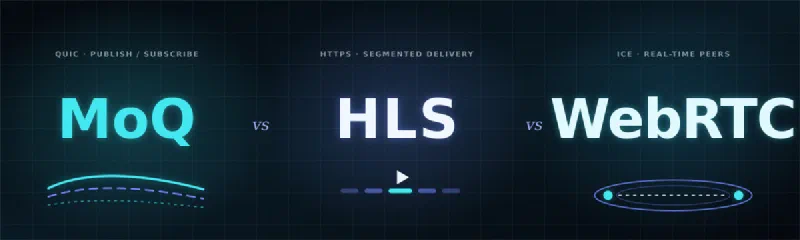
HubChoose a live-stream transport: MoQ vs HLS vs WebRTC
Compare Media over QUIC, HLS and WebRTC for live video, then choose the right transport for your latency, scale, network and browser constraints.
 Hub
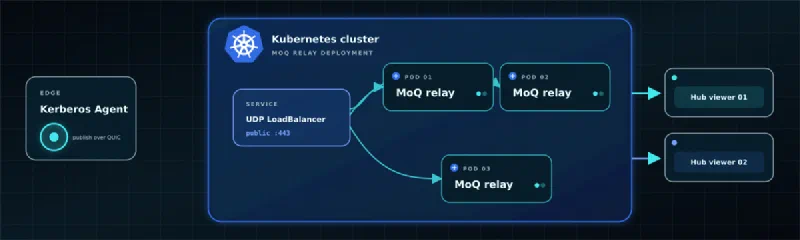
HubDeploy a MoQ relay on Kubernetes
Run a TLS-enabled Media over QUIC relay behind a Kubernetes UDP LoadBalancer, then connect Kerberos Hub and Agent to it.
 Hub
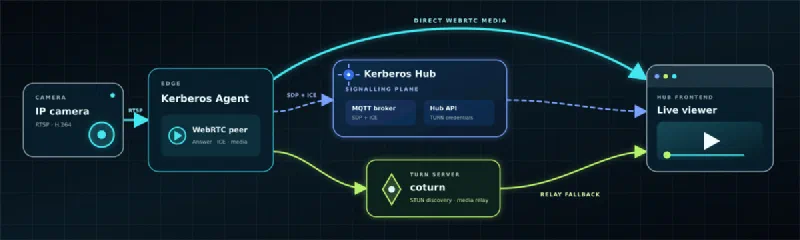
HubSet up WebRTC live view with TURN
Configure STUN and TURN for reliable Kerberos Hub WebRTC live video, then verify direct and relayed ICE paths.
All tutorials
5 tutorials
HubChoose a live-stream transport: MoQ vs HLS vs WebRTC
Compare Media over QUIC, HLS and WebRTC for live video, then choose the right transport for your latency, scale, network and browser constraints.
HubDeploy a MoQ relay on Kubernetes
Run a TLS-enabled Media over QUIC relay behind a Kubernetes UDP LoadBalancer, then connect Kerberos Hub and Agent to it.
HubSet up WebRTC live view with TURN
Configure STUN and TURN for reliable Kerberos Hub WebRTC live video, then verify direct and relayed ICE paths.
 Hub
HubSet up HLS live view
Configure firewall-friendly HLS and low-latency HLS live video between Kerberos Agents, Hub API and operator browsers.
 Hub
HubSet up your own workflow stage
Bring your own microservice into the Hub as a workflow stage — register it in the Helm chart, receive recordings, do the work, and ingest results back. A loitering / dwell-time stage serves as the worked example.
No tutorials found
Try a different search or reset the active filters.