Cases
By default, recordings are persisted for a limited amount of time. Within Hub you define a retention period per subscription and assign it to a user. The retention period can be set to 30, 60, 90 days or any custom value. It determines how many days of footage are visible to the end-user after login, and controls when the associated recordings metadata are removed from the database.
There are many situations where you may want to retain specific recordings for future inspection, or simply because an event is important. By archiving a recording, it is copied to a separate storage provider in Vault with a longer or non-expiring retention period — for example, 3 years or more.
Cases are the mechanism in Hub to trigger this archiving process. Once a case is created, the associated recording is copied from the current storage provider to the designated archive storage provider in Vault.
Note: The current archiving feature is designed for individual recordings only. It is not suitable for bulk exports or archiving large volumes of data (e.g. terabytes). We are aware of this limitation and are actively working on a solution to support large-scale archiving and export in a future release.
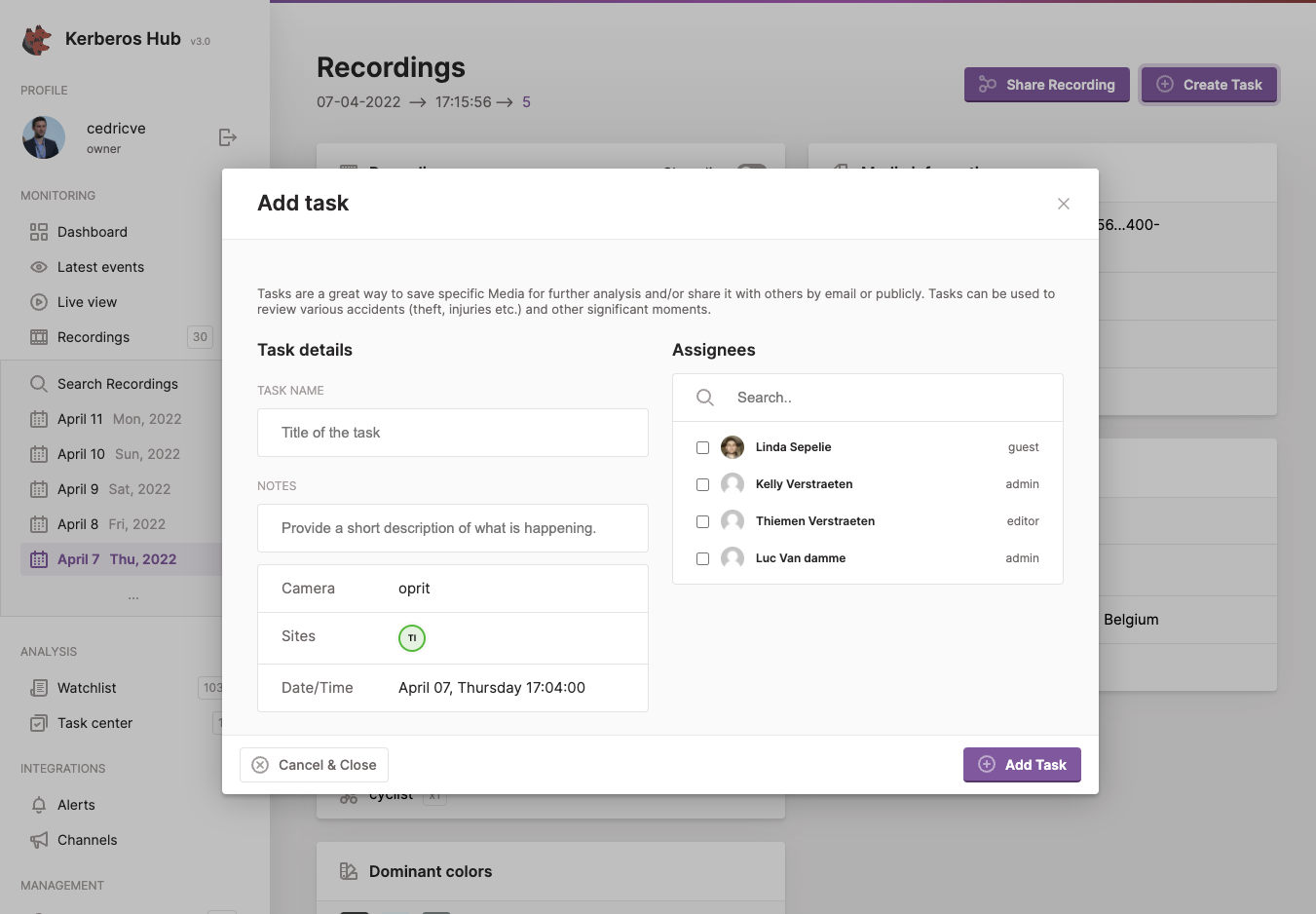
By creating a case, the recording is copied to the archive storage provider in Vault.
Creating the archive storage provider and account
To use cases and the archiving process, an additional storage provider must be created in Vault.
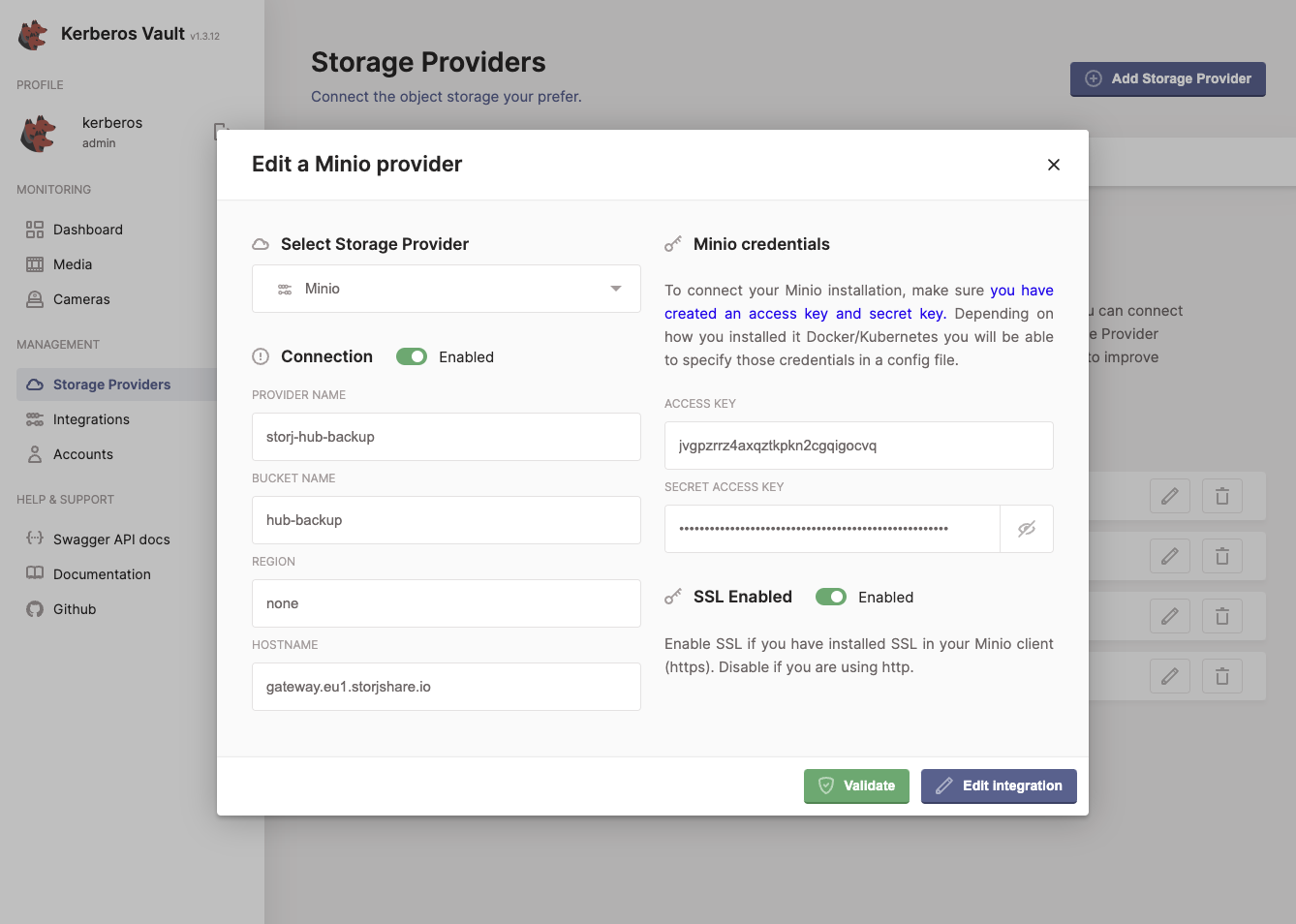
Create a new storage provider for archiving in Vault.
To set the archiving retention period, a new Vault account must be created, since the retention period is defined at the account level. Recordings copied to the archive storage provider will inherit the retention period from this account.
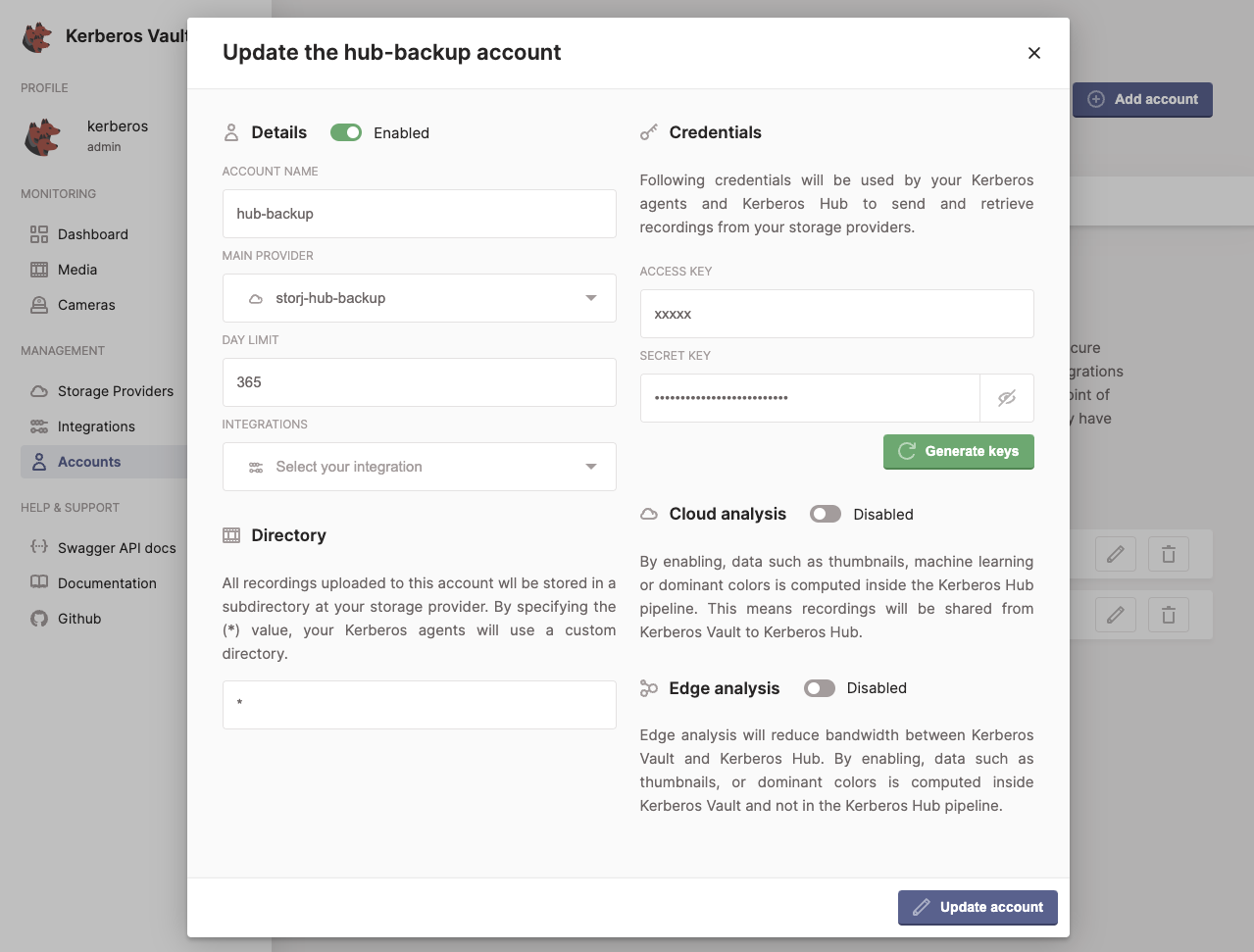
Define a retention period in a new Vault account.
Define archive provider and account in Hub
Now that your Vault instance is configured for archiving, you need to tell Hub where to archive recordings — which provider and account to use. Open the values.yaml and locate the kerberosvault section. Here you will find the archive property.
# We have a Vault component installed which contains all the
# recordings. Vault is queried to retrieve the recordings
# from the appropriate provider.
kerberosvault:
uri: "https://api.storage.yourdomain.com"
accesskey: "xxx"
secretkey: "xxx"
provider: "a-provider"

# Archiving is used when creating a case. The underlying recording of the case will be copied from its
# existing provider to the below archived provider. Seperate credentials are used, as it makes possible to
# specify another retention period.
archive:
    accesskey: "xxx"
    secretkey: "xxx"
    provider: "an-archive-provider"
Set the accesskey and secretkey of your newly created Vault account, and specify the name of the archive provider. Then apply the updated helm chart.
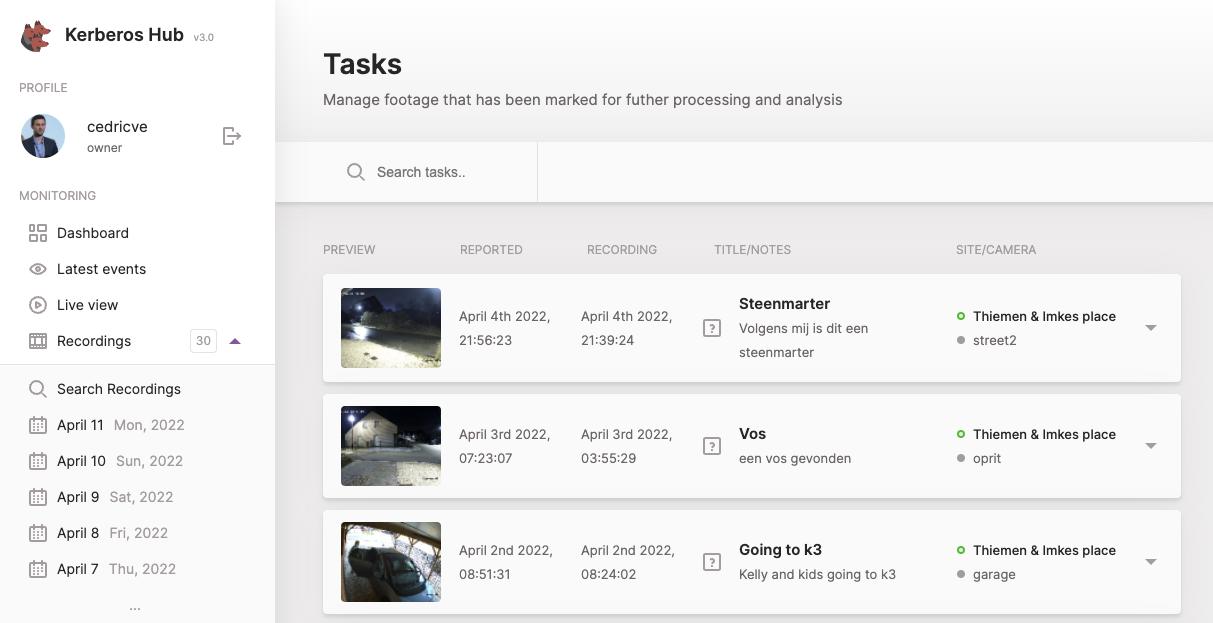
Your cases showing up on the cases page are now showing recordings from your archived storage provider.